Skip to content
Accessibility

Tools for everyone who writes and reads science.

Accessibility is part of Neo Design, the visual system of every product, and of every equation they produce.

In the products

What is already in the apps

Color blindness

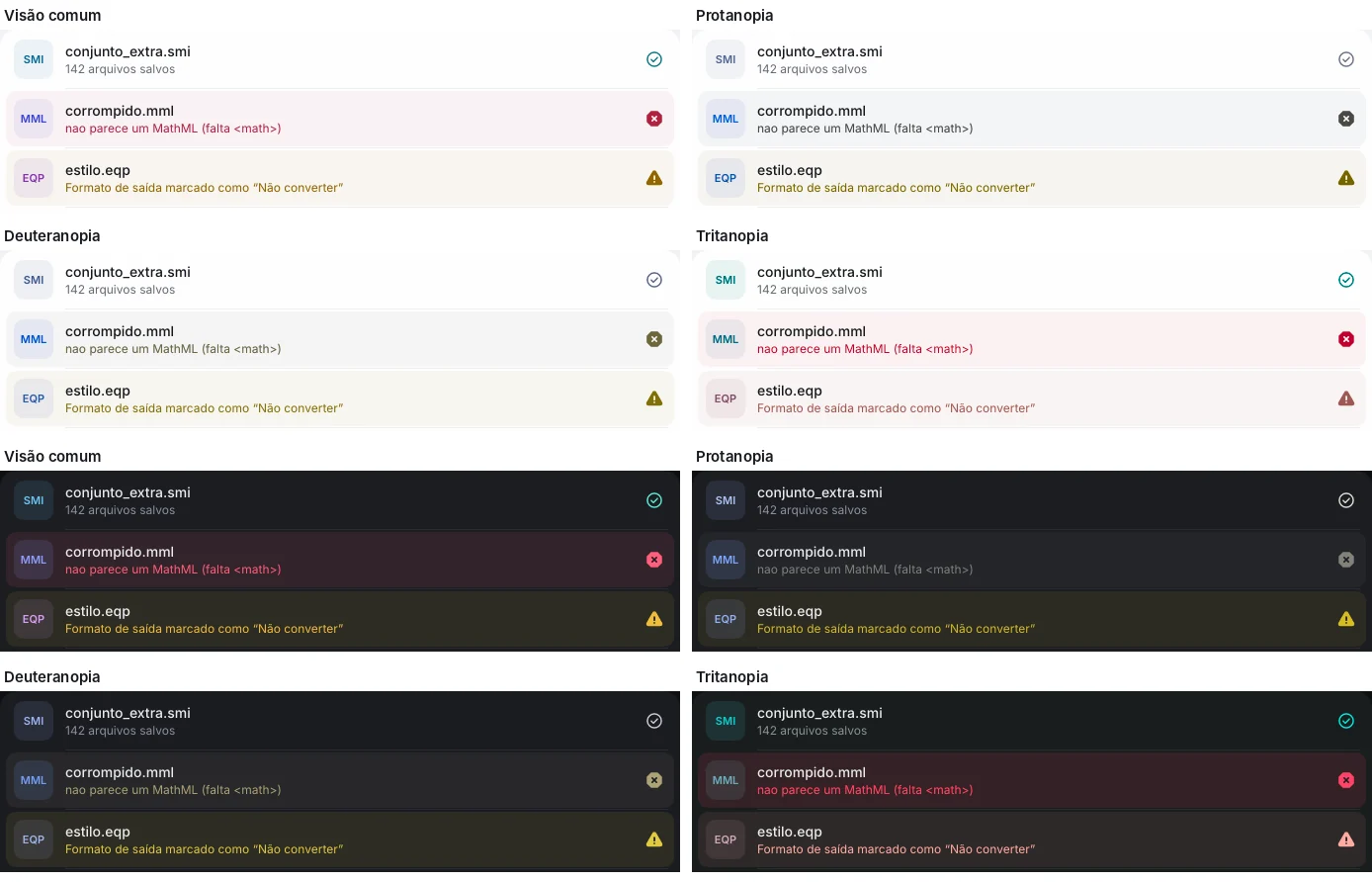
Color is never the only signal

Success, warning and error have their own shapes (✓, triangle, octagon), and the palette is checked for the most common types of color blindness.

  • Text with a contrast of at least 4.5:1
  • Controls with a contrast of at least 3:1
  • Light and dark themes in the apps
Success, warning and error states with distinct shapes
Reading

Equations with alternative text

Neo generates the spoken reading of the equation in English, Portuguese or Spanish, used in the inspector, in Word's alternative text and in web images.

  • Math role and alternative text on NeoMath Web images
  • Accessible description of molecules
  • LaTeX alongside, for those who prefer the code
NeoMath
Preview
x=−b±b2−4ac2a
LaTeX
On this site

Our commitment for this site

This site follows the same rules as Neo Design and aims to meet WCAG 2.2 level AA guidelines.

  • Full keyboard navigation, with always-visible focus and a skip-to-content link.
  • Reduced animations when the system asks for less motion.
  • Content that does not depend on JavaScript to appear.
  • Alternative text on images and a coherent heading structure.
  • Touch targets of at least 44 px on the main buttons and links.

Found a barrier?

Tell us through the contact form. Every report is read by the team and goes on the fix list.

Accessibility at your institution

Talk to a specialist about accessible materials with equations.