NeoConverter
Convert equations, chemical structures and preferences between formats, one file or whole folders, never overwriting without asking and with a CSV report.
NeoConverter is Neo’s conversion app. It brings equation and chemistry conversions into one place, one file or in batches, with mixed types in the same list.
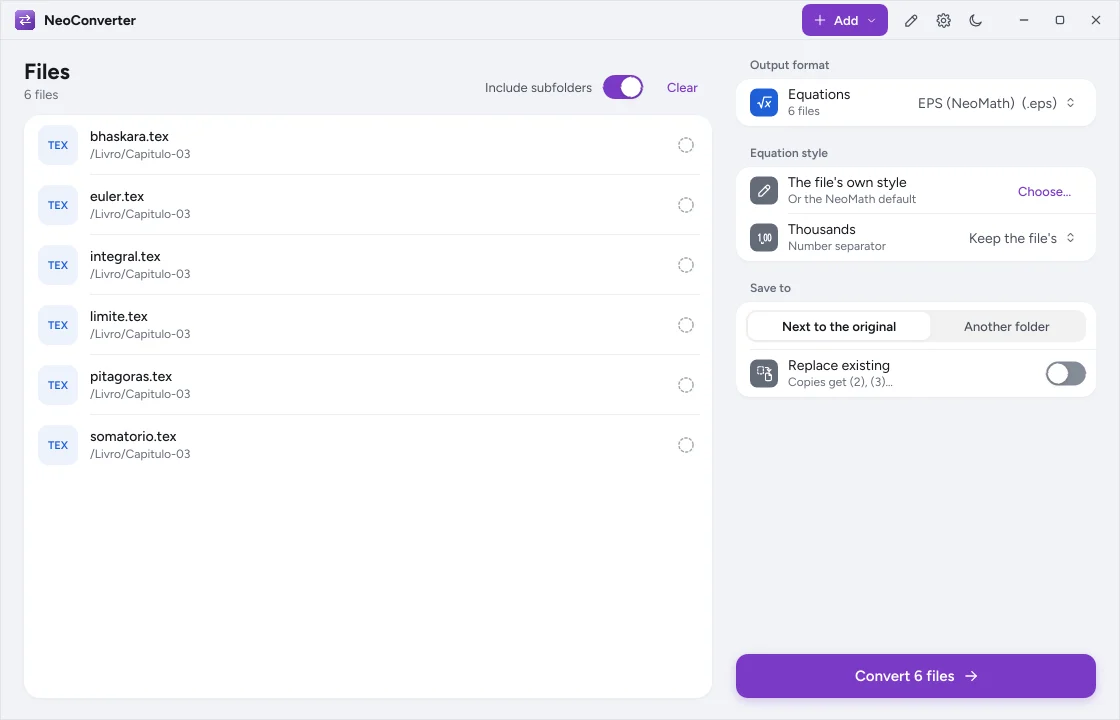
Convert#
- Add files or folders with the Add button (Files… or Folder…), through the empty area or by dragging and dropping onto the window, including several items from different folders.
- Use Include subfolders to go into subfolders and Clear to start over.
- Filter by extension: one click on
EPS 12shows only the EPS files; more clicks add or remove extensions; All undoes it. Only what is shown is converted. - Under Output format, choose a format for each type present (equations, chemistry) or Do not convert.
- Under Equation style, keep the file’s own style or choose a style file.
- Under Save to, choose Next to the original or Another folder and, if you want, Replace existing.
- Click Convert N files. During conversion the button becomes Cancel.
The result shows as numbers (converted, ignored, with errors), with Open folder and Report.
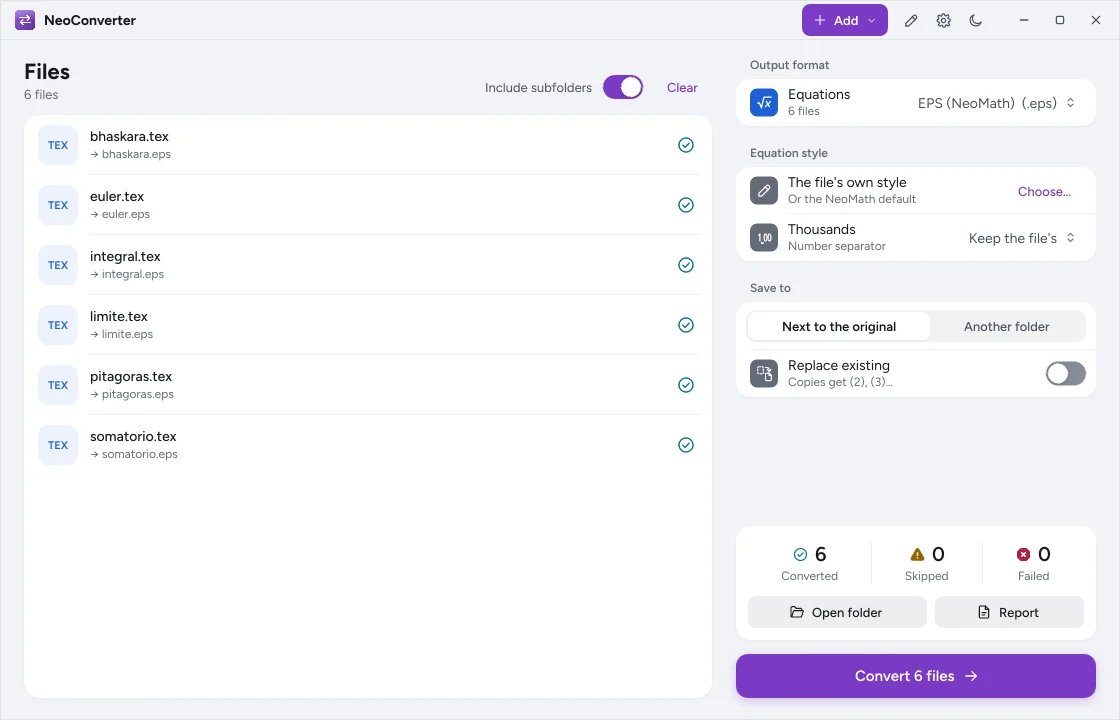
Equations#
| Input | Output |
|---|---|
| NeoMath EPS | EPS |
| SVG, PNG, JPEG, TIFF, WebP, JPEG XL and EMF generated by NeoMath | SVG (outlines or text), PNG, JPEG, TIFF, CMYK TIFF, WebP, JPEG XL, EMF |
.mml, .mathml, .xml with <math> |
MathML |
.tex, .latex (one equation per file) |
LaTeX |
.omml or .xml with <m:oMath> |
OMML |
.docx (one output per equation, numbered) |
Images not generated by NeoMath are rejected; to recognize images, use NeoCR in NeoMath.
Chemistry#
- Chemistry: SMILES, MOL V2000/V3000, multi-record SDF, CML, CDML, CDXML, KET and RXN to SMILES, MOL, SDF, CML, JSON, SVG, PNG, JPEG, TIFF, WebP, JPEG XL, EMF and chemfig. A multi-record SDF produces one file per molecule (
name_1,name_2…), except when the output is also SDF.
Batch rules#
- Never overwrites without asking: without Replace existing, the name gets
(2),(3)… - With Another folder, the subfolder structure is kept.
- Cancel stops at any time; what was already written stays.
- The report shows on screen and can be saved as CSV (file, status, output, message).
- Files that are already of the destination type are skipped, without an error.
From the command line#
The same conversions exist in neomath:
neomath converter pasta --saida convertidos --recursivo
neomath docx livro.docx --saida equacoes --imagem svg
See Command line.